
Hot vs Cold Wallet: What Is the Difference?
Published: September 14, 2026Wallets
Hot vs cold wallet comes down to one question: where the private key lives. A cold wallet keeps the key on a device that never touches the internet, most often a hardware wallet. A hot wallet keeps it on something that is online, like a phone app or a browser extension. Neither one actually holds coins. The coins stay on the blockchain, and a wallet guards the key that can move them, along with the seed phrase that can rebuild that key. Below is how the two differ, whether a cold wallet can still be robbed, how to keep a seed phrase safe and how to move coins onto a hardware wallet. Sources were checked on 14 September 2026.
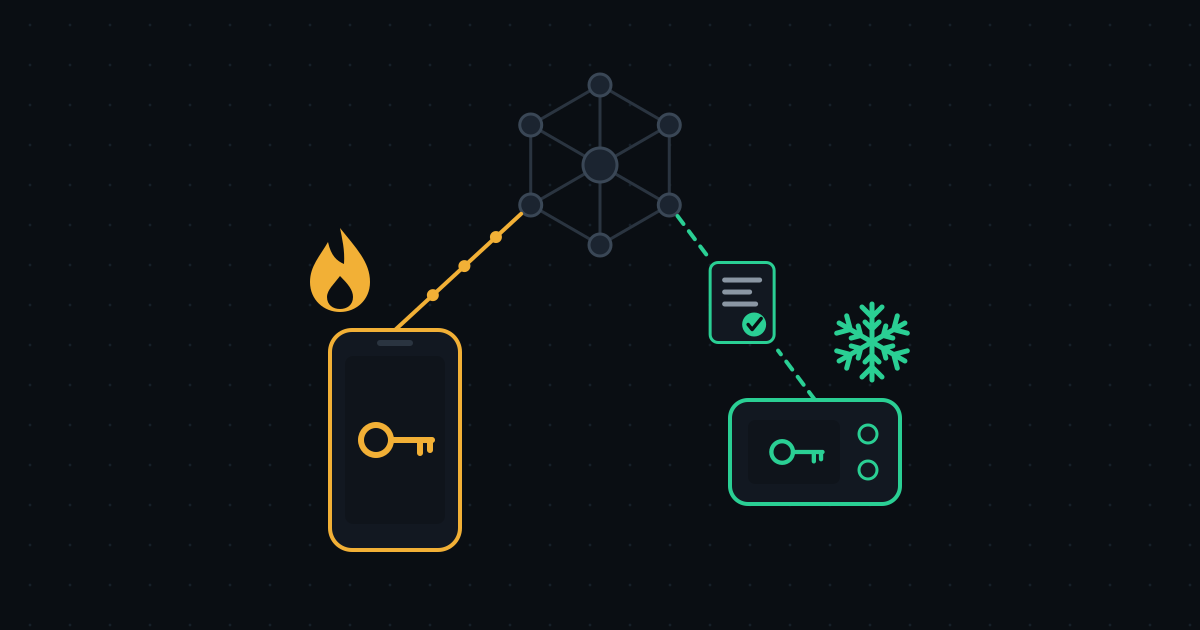
A wallet holds keys, not coins
A blockchain records how many coins sit at each address. To move them, a transaction has to be signed with that address's private key, or the network rejects it. So whoever has the key controls the coins, and the real job of any wallet is to keep the key and sign with it.
An exchange account is neither a hot nor a cold wallet. The balance you see is an entry in the platform's own ledger, and the keys belong to the exchange. That arrangement is called custody. The exchange can pause withdrawals, freeze an account or go bankrupt, and it asks for identity documents before you can open the account at all (why exchanges ask for KYC). "Not your keys, not your coins" is the short version. What hot and cold wallets have in common is that you hold the key yourself.
Hot vs cold wallet: where the difference comes from
There is one real difference, the place where the signing key is kept. Everything else follows from it.
- Hot wallet. The key sits on an internet-connected phone or computer, and signing happens on that same device. You can send funds at any moment and connect to DeFi apps easily. The risk is that malware on the device, a fake app or one careless approval on a phishing site can hand over the key and everything it controls.
- Cold wallet. The key is generated inside a hardware wallet and never leaves it. Your computer or phone only prepares the transaction and passes it over; the signature is made inside the device, and only the signed transaction goes back to the network. Even an infected computer never sees the key. The price is friction: every transfer means taking the device out and confirming on its screen, which gets tedious for frequent small payments.
Most people who use both split them the way they split savings and cash: long-term holdings in the cold wallet, spending money in the hot one.
Can a cold wallet be hacked?
It can be robbed, just not the way a hot wallet is. A hardware wallet protects the key, and it cannot protect you from the following.
- A leaked seed phrase. Anyone with the seed phrase can rebuild the same wallet on another device. They never need your hardware wallet, which is why this is the most common way funds disappear. More on it below.
- A tampered device. A second-hand unit or one from an unofficial seller may have been modified, sometimes shipped with a "pre-generated" seed phrase on a card. Buy from the manufacturer or an authorised reseller, and only ever use a seed phrase the device generated itself.
- Signing the wrong transaction. Malware on your computer can swap the destination address for the attacker's. A hardware wallet shows the address and amount on its own screen, and that screen, not the computer's, is the one to check before you confirm.
What happens if a hardware wallet breaks or gets lost?
Nothing is lost as long as you still have the seed phrase. The device is only a container for the key, and the coins never left the blockchain. Enter the seed phrase on a new hardware wallet, or on any wallet that follows the same standard, and the same addresses and balances come back.
The reverse is just as absolute. Lose the seed phrase and the device, and the funds are gone for good. There is no support team that can reset access.
Watch out for the optional passphrase, which some wallets call the 25th word. Under the BIP39 standard every passphrase produces a valid wallet, and there is no built-in way to tell whether the one you typed is correct (BIP39). A typo does not trigger an error; it opens a different, empty wallet. If you set a passphrase, back it up as carefully as the seed phrase itself.
What a seed phrase is
A seed phrase is a backup of your private keys written as a list of words. Most wallets follow BIP39: the words come from a fixed list of 2,048, and a phrase can be 12, 15, 18, 21 or 24 words long, covering 128 to 256 bits of randomness. The last word carries a checksum, so a single mistyped word is usually flagged as invalid straight away (BIP39).
A 12-word phrase stands for 128 bits and a 24-word phrase for 256. Neither can be guessed. Even the shorter one allows 2 to the power of 128 combinations, far beyond what any computer could ever try one by one. Word order matters too: the same words in a different order are a different phrase.
The rule for storing it is one sentence long. The seed phrase should never exist on a device that goes online.
- Write it on paper or stamp it into a metal plate, and keep it where only you know to look. For larger sums, keep two copies in separate places.
- Do not photograph it, screenshot it, or save it to cloud storage, email, a notes app or a chat.
- Anyone who asks for your seed phrase is a scammer, including people who claim to be support staff or the wallet's "official team". Legitimate wallets and exchanges never ask for it.
Three common seed phrase scams
- Screenshots scanned by an app. Kaspersky described SparkCat in February 2025 as the first stealer Trojan found in the App Store. It had been active since at least March 2024, and infected apps on Google Play alone had been downloaded more than 242,000 times, food delivery and AI chat apps among them. Once granted access to the photo gallery, it reads images with text recognition, looks for recovery phrases and uploads what it finds (Kaspersky). That is the concrete reason not to screenshot a seed phrase.
- A "free" wallet in the comments. Under a finance video on YouTube, someone posts their seed phrase and asks how to move their USDT. Importing it shows a real balance, but withdrawing needs TRX for the fee. The wallet is set up to require several signatures, so the USDT never moves, and the TRX you send is forwarded at once to a third wallet controlled by the scammers (Kaspersky, 23 December 2024).
- Copies in the cloud and in chats. A seed phrase saved to a cloud drive, email, notes or a message history is only as safe as that account. When the account is hacked or the service leaks, the phrase goes with it.
How to move coins to a cold wallet
- In the hardware wallet's official app, add the coin and network you want to receive and generate a receiving address.
- Check that address on the device's own screen and use it only if it matches what the computer or phone shows.
- Send a small test amount first, and move the rest once it arrives.
- Make sure the network you send on matches the network of the address. USDT on Tron and USDT on Ethereum are separate tokens, and what a wrong-network transfer does is covered in is USDT safe.
Can a cold wallet hold USDT? Yes. It stores keys, so any network the device supports works, including the ones USDT lives on. Just keep a little of the network's own coin next to it: moving USDT on Ethereum costs ETH, and on Tron it costs TRX.
If you also want to swap into another coin on the way, it can be one step. Our exchange needs no account: put your cold wallet's address in the receiving field, and the payout goes straight to that address once the swap completes, with no balance left with us. We check that the address format matches the network you picked, which catches typos and pastes from the wrong chain. We cannot tell whether the address is yours, so step 2 still matters, and checking a wallet address works the same way for any chain. If the network uses a memo or destination tag, the exchange cannot pass one along, so use a personal wallet address, not an exchange deposit address.
Do you actually need a cold wallet?
A hardware wallet costs money and takes some learning, and prices vary by model. A simple test: if losing what sits on an exchange or in a phone wallet would hurt more than the price of a device, a cold wallet is worth it.
Skip the rankings and check a few things instead:
- it supports the coins and networks you plan to keep;
- it has its own screen, so addresses and amounts can be checked on the device;
- the firmware and companion app are open source and still receive updates;
- it comes from the manufacturer or an authorised reseller, sealed and not yet initialised.